For creators distributing on FANZA / DLsite

A missed mosaic can pull your release — instantly.

Regulation-size mosaics, applied automatically by AI.

No measuring. No manual tracking. No uploads.

= size calculation / region detection / local inference

Take that one-pixel worry out of every delivery. AI detects target regions and applies mosaics at the size required by FANZA and DLsite regulations (long-side × 1/100). Inference runs on your own machine — frames are never sent to external APIs.

✓ 14-day money-back guarantee ✓ One-time purchase ✓ Lifetime license (2 devices)

Inference runs on your local CPU/GPU. Frames are never sent to external APIs.

Windows 10/11 · NVIDIA GPU

See It in Action

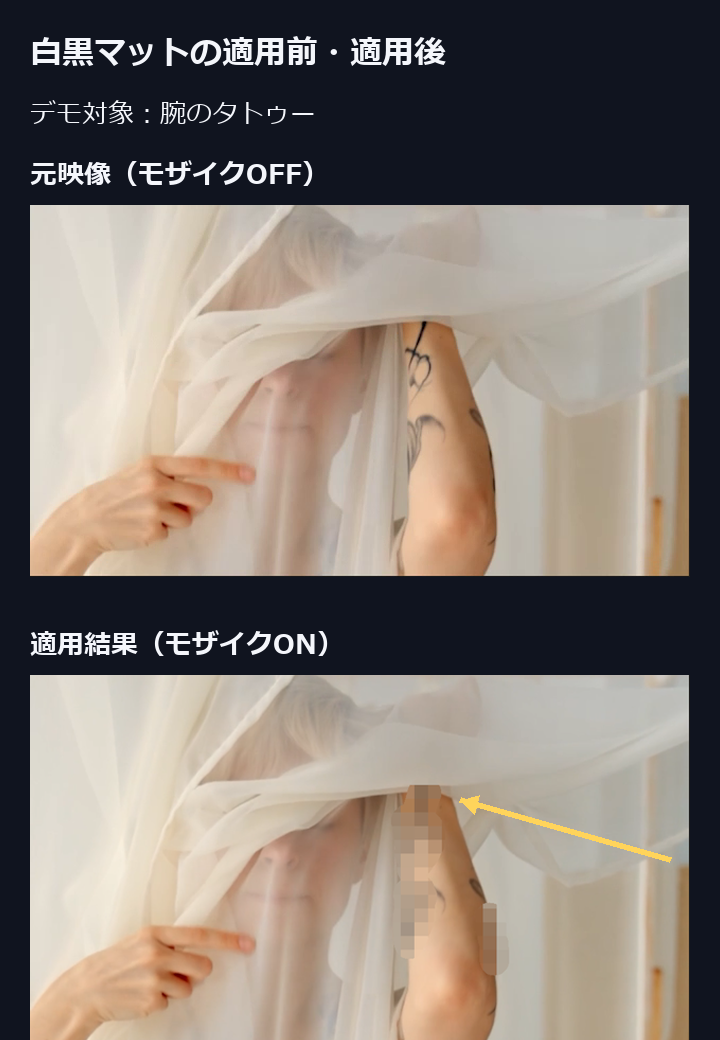
Watch the Before/After of mosaic application, and how mosaic size automatically adjusts to the regulation value as resolution changes (720p→20px / 1080p→20px / 4K→38px · long-side × 1/100).

Regulation size at a glance — long side × 1/100 (regulation min 4 px², applied with a safe 20 px floor)
720p
20 px
1080p
20 px
4K
38 px

These Challenges Sound Familiar?

01

One pixel off, and the release stops

Corrections outside the regulation size lead straight to rejection or delisting. The pre-delivery double-checking never ends.

02

Nights lost to hand-set keyframes

Tracking slips with every movement, so you fix it frame by frame. The longer the video, the more time melts into corrections instead of production.

03

The fear of sending originals to the cloud

Unedited footage passing through external servers is a risk in itself. Keeping processing on your own machine is the strongest countermeasure.

From Detection to Application, Automatically

01

Auto-calculate regulation size

Computes long-side × 1/100 from your video resolution and assists in applying it. Operates with a safe minimum of 20 px.

02

Batch-process long-form content

Handle multiple files and long videos in one go. Work volume scales without scaling your time.

03

Local inference

Inference runs on your local CPU/GPU. Frames are never sent to external APIs.

Built Around Japan's Distribution Regulations

Japan Regulation Compliant

Calculates mosaic sizes based on FANZA Sales Ethics Guidelines Article 6 and other publicly available platform regulations (long-side × 1/100, minimum 4 px²). Assists with sizing that overseas tools don't account for. This tool assists with calculation and application only — it does not guarantee approval outcomes.

Regulation formula

long side × 1/100

min 4 px² · safe 20 px

How Tools Compare on JP Regulation Sizing

Based on publicly available feature documentation, AI Mosaic Tool is the only one with automatic support for Japan's regulation mosaic size (as of June 2026).

Feature Dynamic Tracking Blur / Mosaic Local Inference Auto-fit to JP regulation size
AVCLabs Video Blur AI
Mocha Pro
Topaz Video AI
AI Mosaic Tool

Comparison is based on publicly available feature documentation (as of June 2026). For the latest details, refer to each product's official site.

How It Works

  1. 01

    Import Video

    Load any video file. Supports all major formats.

  2. 02

    Auto-calculate size

    Computes the regulation size (long-side × 1/100) and assists in applying the correct mosaic automatically.

  3. 03

    Export and Done

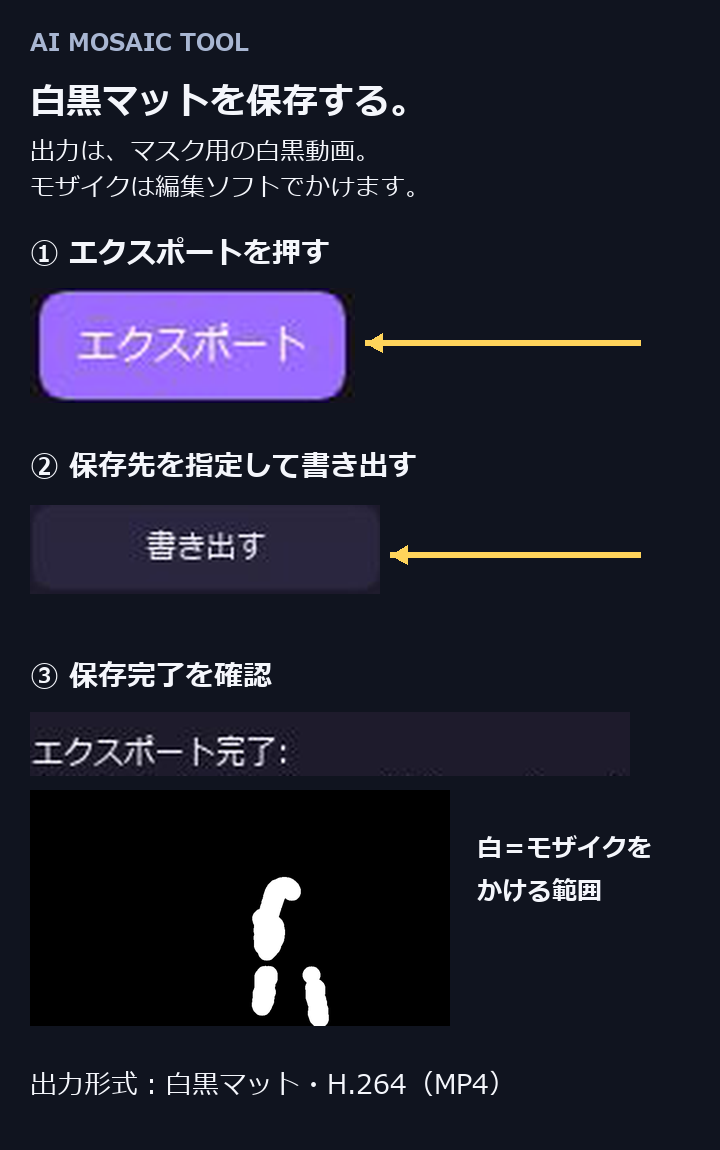
    Export the processed video. Ready to import into your NLE or upload to the platform.

Simple, One-Time Pricing

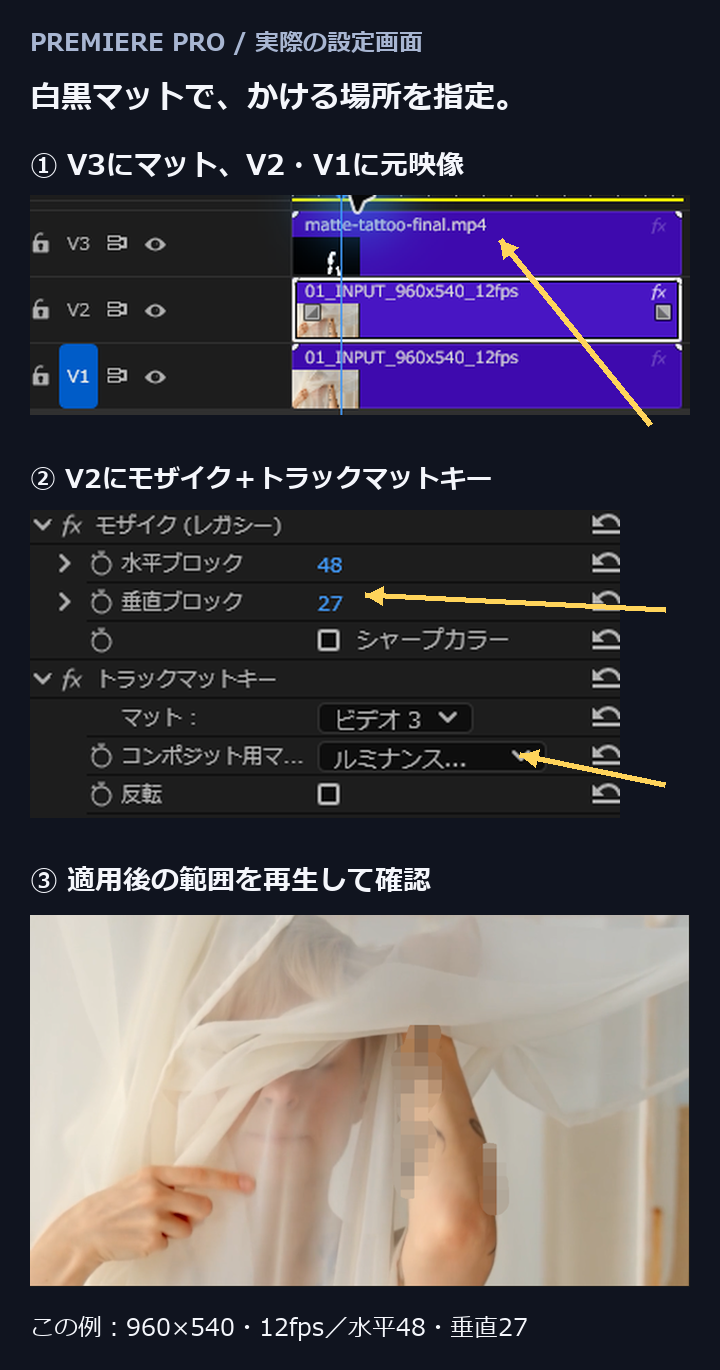
Checking resolutions, computing sizes, setting regions by hand — a one-time-purchase assist tool built to shorten the steps you repeat on every single release.

Early Bird

$69

Becomes $129 after official release

Get AI Mosaic Tool — $69

14-day money-back guarantee · Credit card / PayPal via Lemon Squeezy

Regular

$129

After launch period

What's Included

  • Windows app
  • AI model bundled — offline after first activation
  • Lifetime license (2 devices)
  • Free updates for v1.x
  • 14-day money-back guarantee

Japan customers: Japanese page (¥4,900)

Frequently Asked Questions